---
title: Identity Verification | LayerCake Customer Resources
description: The process for authenticating and verifying LayerCake Customer Identifies when they seek support for sensitive information.
image: https://layercaketech.com/hubfs/LayerCake%20Customer%20Authentication.png
---
[Skip to content](https://layercaketech.com/resources/knowledge-base/identity-verification#main-content)
[Homepage](https://layercaketech.com/?hsLang=en)
[Let's Talk](https://layercaketech.com/get-a-quote?hsLang=en)
[Let's Talk](https://layercaketech.com/get-a-quote?hsLang=en)
[Homepage](https://layercaketech.com/?hsLang=en)
[Get Support](https://layercaketech.com/support?hsLang=en)
[Get Support](https://layercaketech.com/support?hsLang=en)
// IDENTITY VERIFICATION
# How to Verify and Authenticate Your Identity
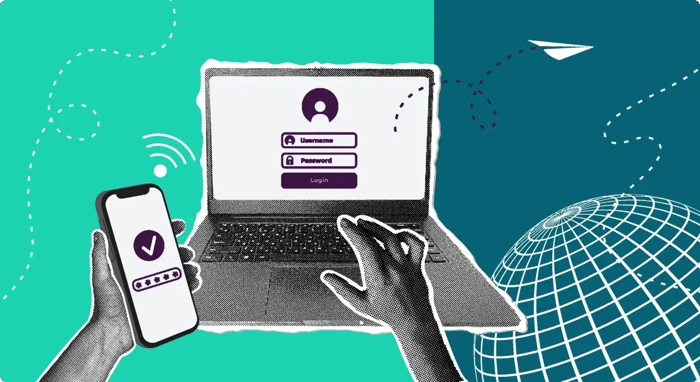
LayerCake Technologies uses MFA to confirm that support requests are coming from the right user. This adds an extra layer of protection for both you and your company.
## What are the verification methods?
Verification methods are determined by your organization. LayerCake supports the following:
- Duo Mobile: Push notification
- Microsoft Authenticator: Push notification
- SMS: One-time text message code
Your technician will notify you of your organization's approved verification method when you start the support request.
.png "MFA Options Available")
.png "MFA Push Notifications ")
## How push notifications work
If your organization uses **Duo Mobile or Microsoft Authenticator**, you will follow these authentication steps:
1. **Wait for a push request** to arrive in your registered authenticator app.
2. **Review the request is valid** before confirming.
3. **Approve the request** only if you're actively expecting it and/or speaking with your technician.
**Missed your notification?** If you didn't receive it, denied it by mistake, or don't recognize it, let your technician know so they can resend the request.
⚠️ Caution: Never approve a push notification you were not expecting. If this happens, stop the interaction and contact LayerCake Support immediately.
## How SMS verification works
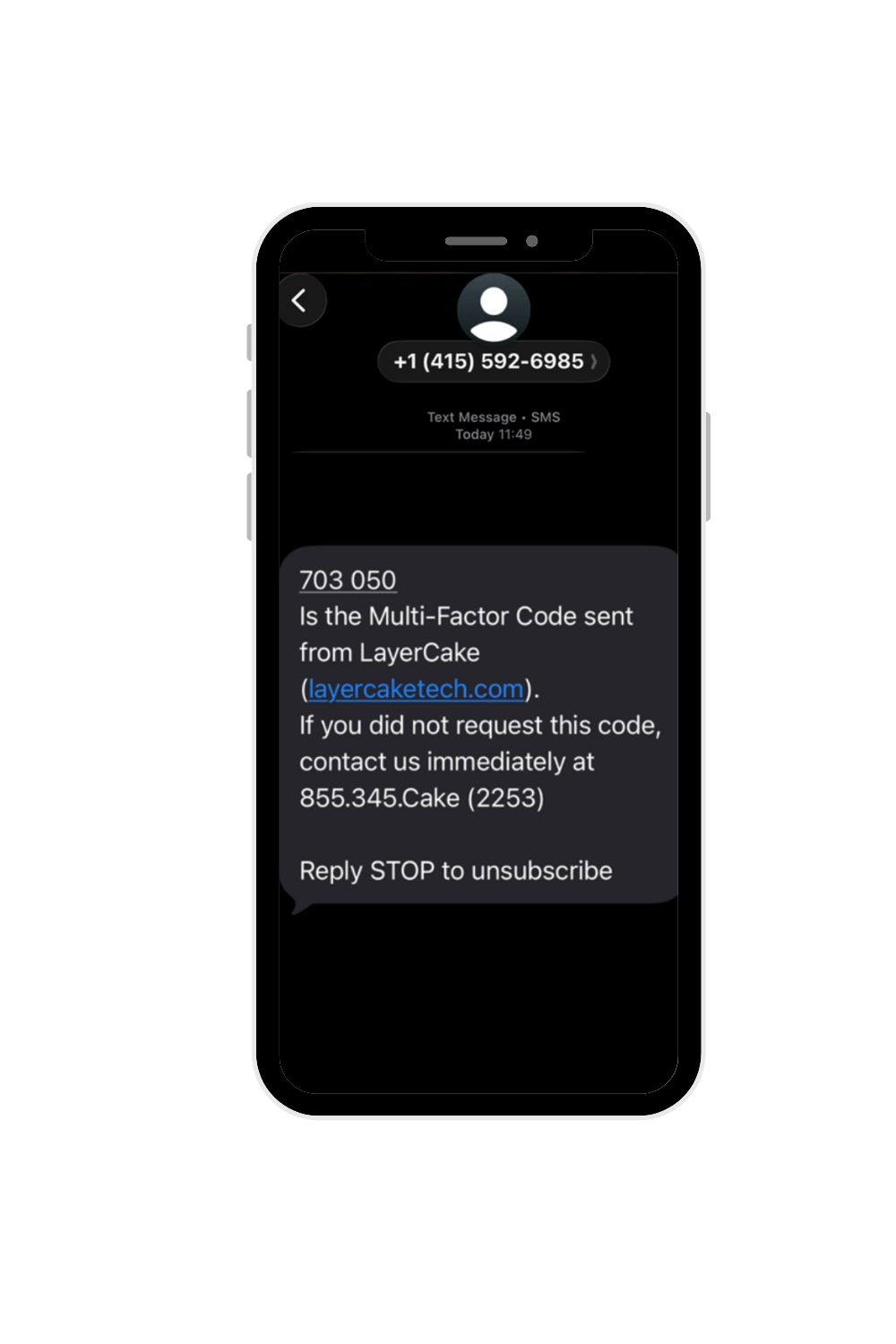
If your organization uses **SMS**, you will follow these authentication steps:
1. **Wait for a one-time** **code** to be texted to your registered mobile number.
2. **Read the code to the technician** during your active support interaction.
3. **Use the code only for this interaction**. Code expires after use.
⚠️ Caution: Never share a code you were not expecting. If this happens, stop the interaction and contact LayerCake Support immediately.
## How to verify your technician
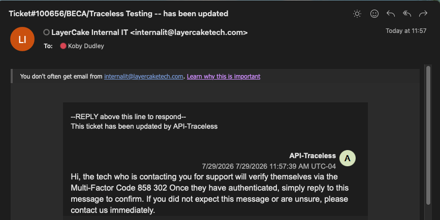
Verification works both ways. Before allowing access to your system, ask the technician to provide their multi-factor authentication code.
The code should match the one you received through your organization's and LayerCake's approved MFA channels.
⚠️ Caution: If the technician is unable to provide a matching code, end the interaction and contact LayerCake Support immediately.
## Why it's a win for you:
### Avoid Impersonation
Attackers will often mask themselves as employees to gain access to company information and systems.
### Safeguard Your Identity
A quick MFA identity check confirms who you are before the technician makes account changes.
### Verify It's LayerCake
Feel confident knowing that the technician you are communicating with is a LayerCake employee.
Why is identity verification necessary to get help desk support?
Help desk phone calls are one of the most common ways attackers try to gain access to a company, by pretending to be an employee that needs a password reset or an account accessed. A quick verification confirms the person calling is really the end user.
What are the types of requests that require MFA?
LayerCake Technologies verifies the identity of a caller or ticket submitter before providing sensitive account information, making account changes, or discussing confidential support matters. Identity verification is also required for sharing credentials, administrative account names, or any other sensitive account details.
Does this slow down the resolution time of a support ticket?
No, it only takes a minute to complete verification. The end user will get a push notification via a preferred authenticator app, or receive a text with a code. Once confirmed, issue resolution begins.
What if the end user doesn’t have a phone or mobile device available?
Let the technician know. There are backup verification paths to ensure users get support when they need it.
Are end user phone numbers being used for anything else?
No. Your phone number is used solely to confirm your identity for support requests.
How is sensitive information, like a password or account access shared?
Never over email or on a call. If a technician needs to send sensitive information, it goes through a secure one-time link that expires after it is opened.
Why should end users care about identity verification?
A single successful impersonation attempt can lead to a full account takeover, a data breach, or a ransomware incident. These types of incidents can cost companies financially. Identity vertification helps to prevent these threats.
### Need additional support?
[Visit the Support Hub](https://layercaketech.com/support?hsLang=en) to get access to additional tools and resources.
[GO TO SUPPORT HUB](https://layercaketech.com/support?hsLang=en)
[](https://layercaketech.com/?hsLang=en)
[](https://layercaketech.com/?hsLang=en)
MANAGED IT
CYBERSECURITY
IT CONSULTING
- Home
- Products
- Pricing
- Blog
- Company
[Privacy Policy](https://layercaketech.com/privacy-policy?hsLang=en) © 2026 LayerCake Technologies. All rights reserved.
```json
{
"@context" : "https://schema.org",
"@id" : "https://layercaketech.com/#organization",
"@type" : "ProfessionalService",
"address" : {
"@type" : "PostalAddress",
"addressCountry" : "US",
"addressLocality" : "Cincinnati",
"addressRegion" : "OH",
"postalCode" : "45236",
"streetAddress" : "8044 Montgomery Rd Ste. 510"
},
"name" : "LayerCake Technologies",
"telephone" : "(513) 549-5031",
"url" : "https://layercaketech.com"
}
```
```json
{
"@context" : "https://schema.org",
"@id" : "https://layercaketech.com/resources/knowledge-base/identity-verification#document",
"@type" : "DigitalDocument",
"description" : "Learn how to verify your technician's identity when starting a support call.",
"encodingFormat" : "application/pdf",
"genre" : "Tutorial",
"image" : "",
"isAccessibleForFree" : false,
"isPartOf" : {
"@id" : "https://layercaketech.com/resources/#webpage"
},
"name" : "Identity Verification Instructions for LayerCake Customers",
"publisher" : {
"@id" : "https://layercaketech.com/#organization",
"@type" : "ProfessionalService",
"name" : "LayerCake Technologies"
},
"url" : "https://layercaketech.com/resources/knowledge-base/identity-verification"
}
```